Camera Company
Company
Shop By Category
T&Cs
Shop Online
  • The maker's specifications on every page
  • Free tracked delivery across the UK over £100
  • 14-day returns

2K Webcam with Privacy Cover | Webcam with microphone | Qhd webcam for pc

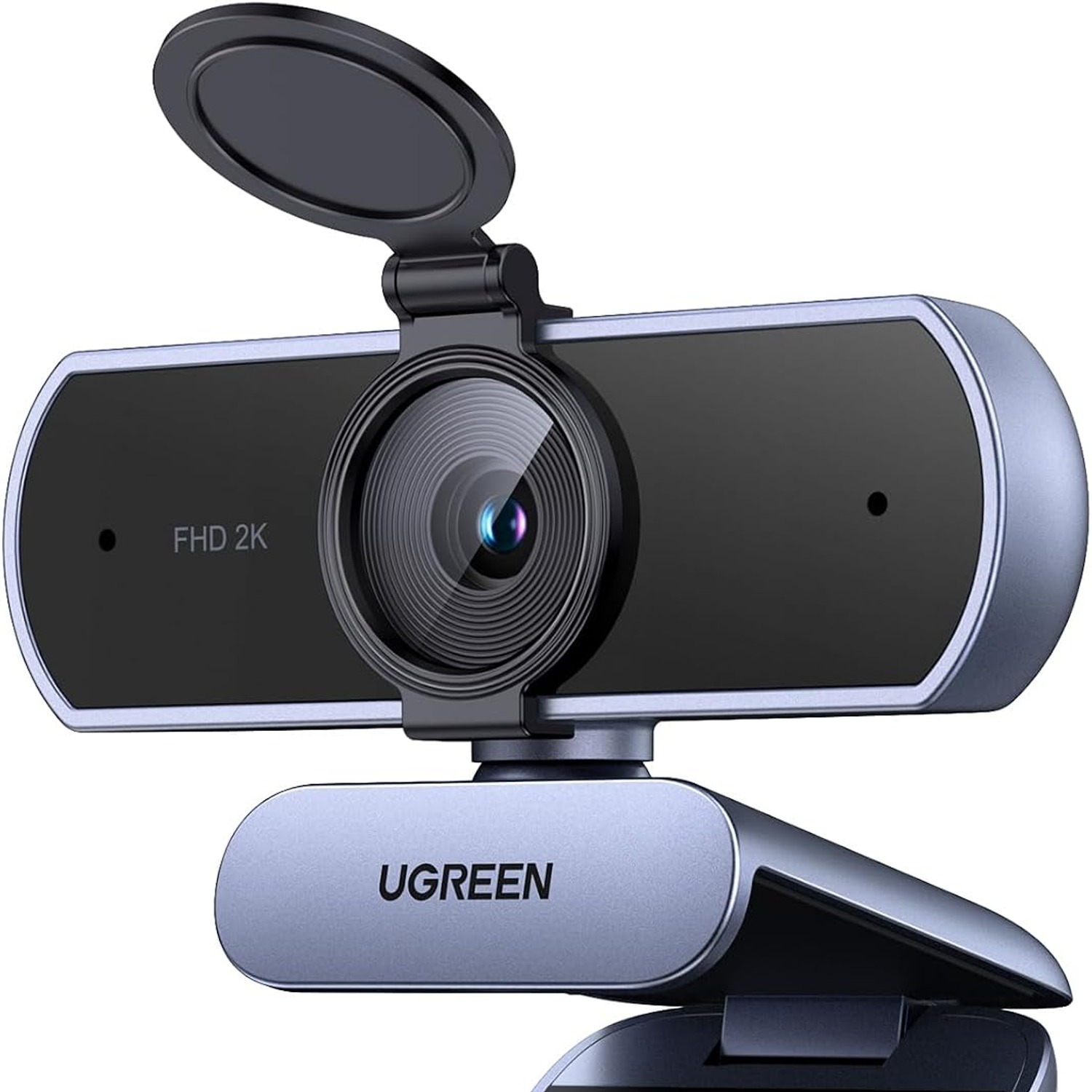
UGREEN 2K Webcam with Privacy Cover and Dual Microphones

£54.99 £65.99 Save £11
  • 2K Clarity
  • Dual Microphones
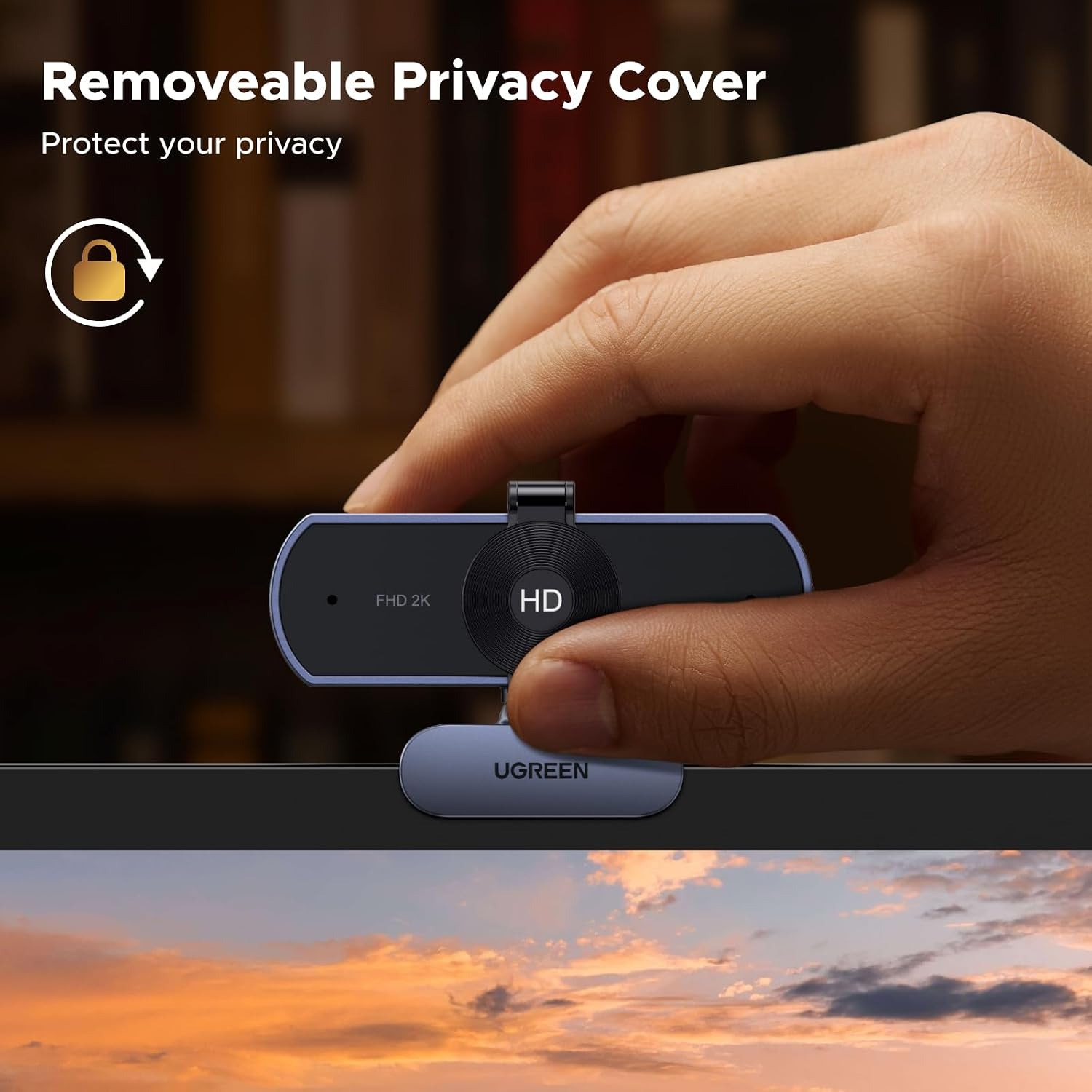
  • Sliding Privacy Cover
  • No Drivers Needed

Price: £54.99 £65.99

  • Free tracked delivery across the UK on orders £100+, otherwise a flat £12
  • Pay by card or PayPal, handled by the payment provider
  • 14 days to change your mind, plus your statutory rights
Product specifications
Video Resolution2K
Display Resolution Maximum2K
Effective Still Resolution2 MP
Sensor TypeCMOS
Viewing Angle80 degrees
Lens TypePrime
Minimum Focal Length35
Maximum Focal Length105
Image StabilisationDynamic
Has Image StabilisationNo
Connectivity TechnologyUSB
Compatible DevicesPersonal Computer, Laptop
Supported Audio FormatPCM
Video Capture FormatMP4
Special FeatureHigh Resolution, Fixed Focus, Noise Cancellation
Flash Memory TypeInternal flash memory
Flash Memory UHS Speed Class3
Screen Size81.00
ColourGrey
Water Resistance LevelNot water resistant
Batteries IncludedNo
BrandUGREEN
Model Number55721
Item Weight100 grams
Weight100 g
Shipping & returns

Tracked delivery anywhere in the UK. It is free on orders of £100 or more, and a flat £12 below that.

Under the Consumer Contracts Regulations 2013 you have 14 days from delivery to cancel for any reason, and a further 14 days to send it back in resaleable condition. We refund the price you paid, including standard delivery. You cover the cost of returning it unless the item is faulty.

If it arrives faulty, damaged or not as described, we put it right at no cost to you under the Consumer Rights Act 2015, return postage included.

Shipping details · Refunds and returns

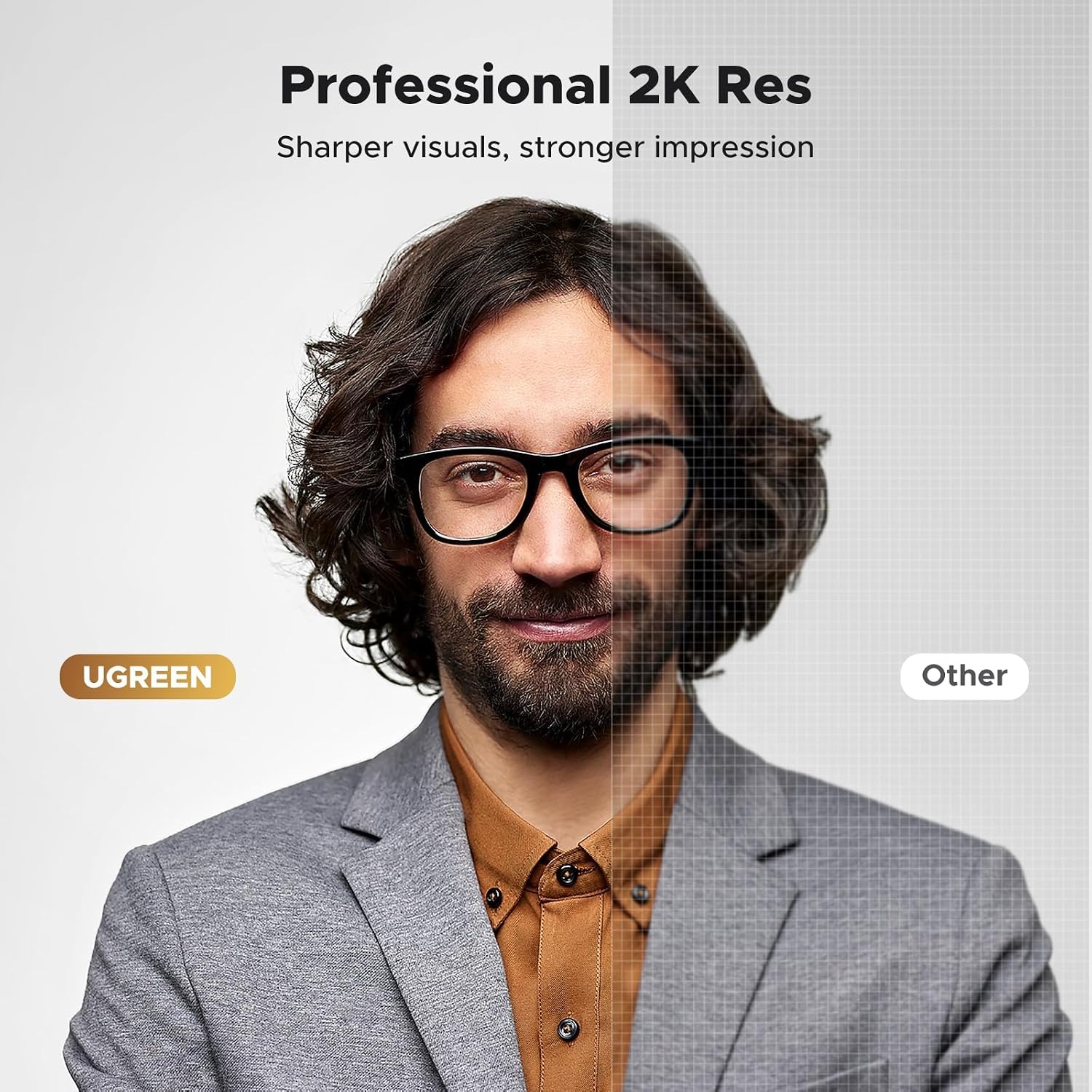
2K ClarityA 4 MP CMOS sensor records at 2K so faces and whiteboards stay legible.
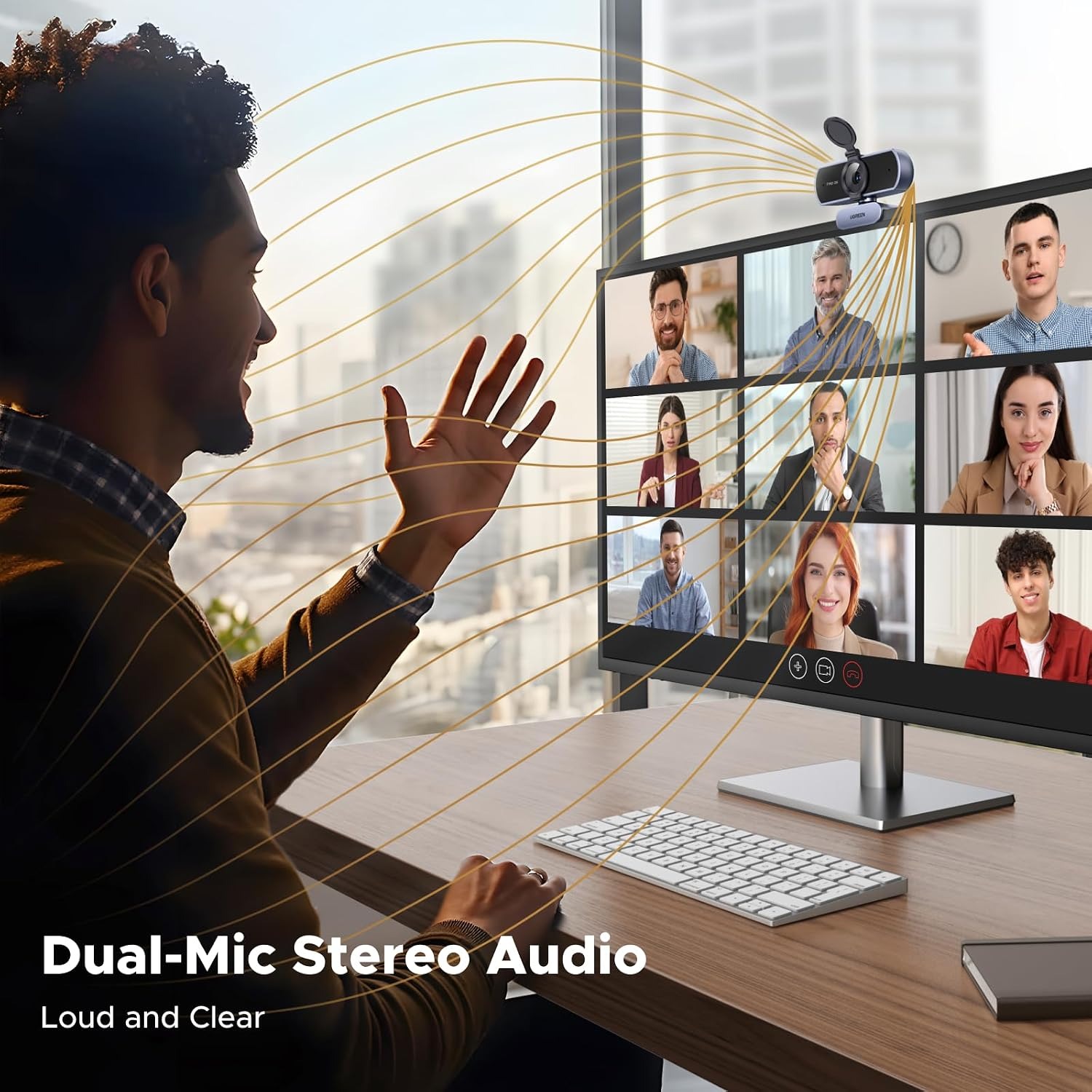
Dual MicrophonesTwo built-in mics pick up your voice without a separate headset.
Sliding Privacy CoverBlock the lens in one second when the call is over.
No Drivers NeededUSB plug-and-play on Windows, macOS, Linux and more.

Look sharp and sound clear on every call with a 2K webcam with privacy cover that clips onto almost any screen.

A 4 MP CMOS sensor, dual built-in microphones, an 80 degree field of view and a sliding lens shutter give you plug-and-play video without drivers, software or extra cables.

Records and streams at 2K resolution using a 4 MP CMOS sensor, so your video looks sharper than the typical laptop camera.

Two integrated microphones capture your voice with noise cancellation, which means no headset is required for everyday meetings.

An 80 degree viewing angle keeps you framed neatly while still fitting a second person or a bit of the room behind you.

The built-in privacy cover slides across the lens so the camera is physically blocked whenever you are not on a call.

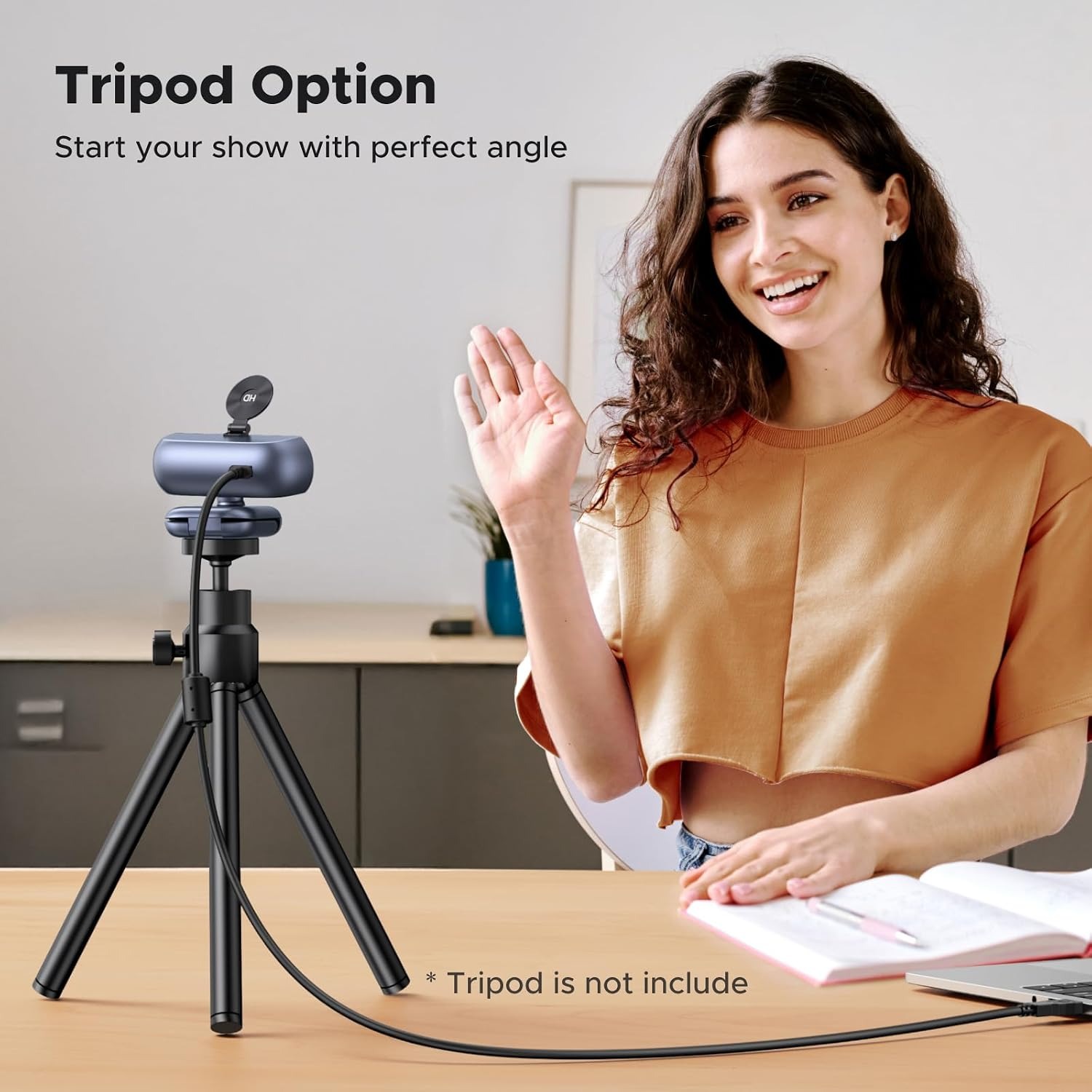
USB connection with no driver install, plus 360 degree rotation on the clip, so it works on monitors, laptops, TVs and tripods.

UGREEN 2K Webcam with Privacy Cover and Dual Microphones

Most built-in laptop cameras were designed years ago and never really improved. They sit low, they wash out in afternoon light, and they turn your face into a soft smudge the moment the room gets dim. This UGREEN webcam replaces that with a 2K sensor and a fixed-focus prime lens, which is a simple combination that holds a steady, sharp picture without hunting back and forth every time you shift in your chair.

UGREEN 2K Webcam with Privacy Cover and Dual Microphones

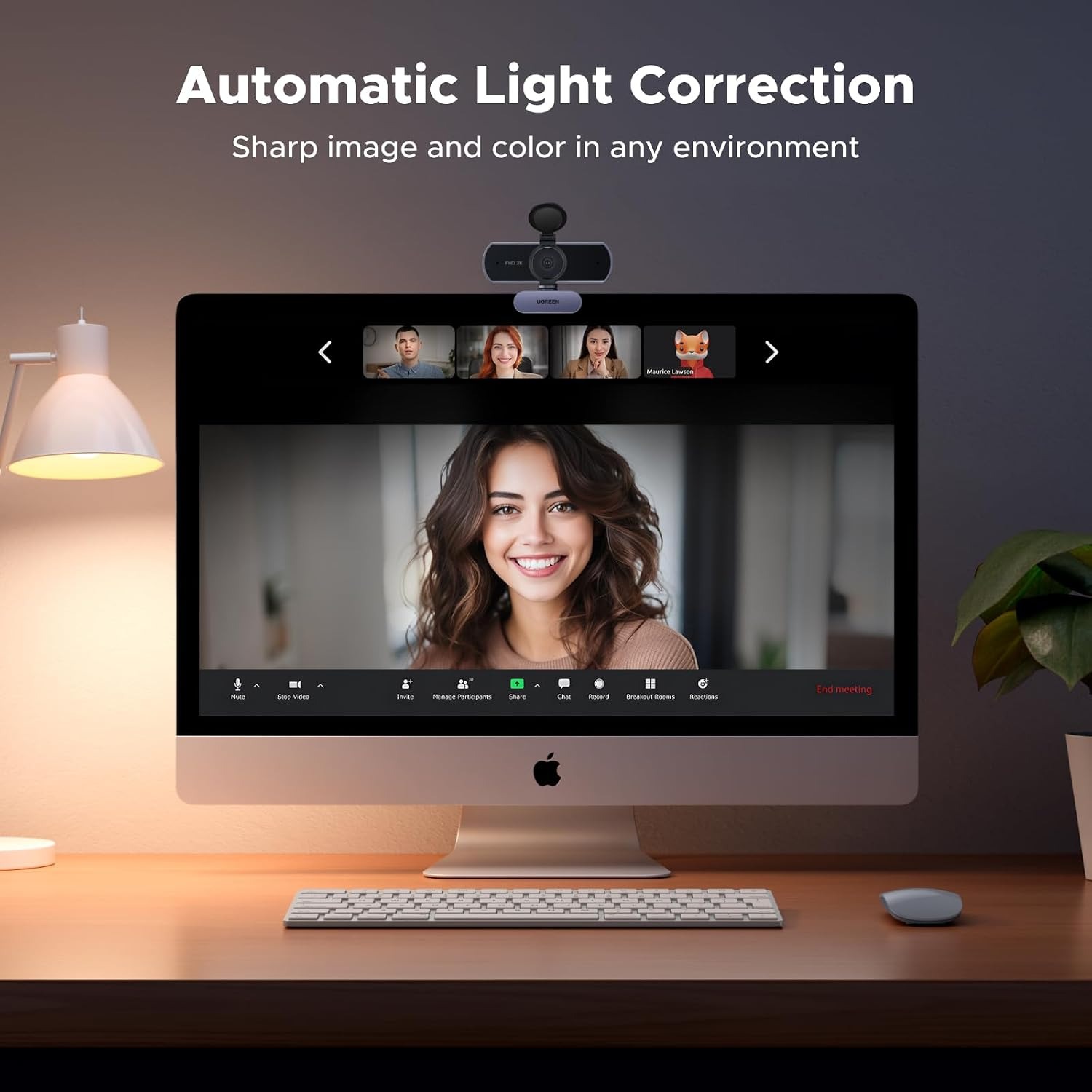
The 4 MP CMOS sensor captures at 2K resolution, and stills come out at 2 MP. Because the lens is fixed focus rather than autofocus, there is no distracting pulse of blur when someone walks behind you or when you lean forward to read something. The camera also adjusts colour temperature and lifts low light automatically, so a desk lit by one lamp or a window at the wrong angle does not leave you in shadow.

UGREEN 2K Webcam with Privacy Cover and Dual Microphones

Audio is handled by two integrated microphones with noise cancellation. For normal meetings, online classes and calls with family, that is enough to skip the headset entirely. Audio is delivered in PCM format, which every major conferencing app understands. If you prefer a dedicated headset for long sessions, you can still use one and simply leave the camera as your video source.

UGREEN 2K Webcam with Privacy Cover and Dual Microphones

The 80 degree field of view sits in a sensible middle ground. It is wide enough to include a second person beside you or a bit of the room behind, but not so wide that your face shrinks into the background or the edges of the frame bow outward. The mount rotates a full 360 degrees and clips onto a monitor, a laptop lid or a TV, and there is tripod support if you want to place it somewhere else on the desk.

UGREEN 2K Webcam with Privacy Cover and Dual Microphones

[object Object]

Not sure yet? That is fine.

A camera has to suit the job you bought it for, and you cannot always judge that from a photograph. Under the Consumer Contracts Regulations 2013 you have 14 days from delivery to cancel for any reason, and a further 14 days to send it back in resaleable condition. We refund the price you paid, including standard delivery.

If it turns up faulty, damaged or not as described, that is on us. The Consumer Rights Act 2015 covers you, and we pay the return postage. Read the full detail on our refunds and returns page, or ask us anything before you order.

Frequently Asked Questions

What resolution does this webcam record at?

It records video at 2K, which is a step above standard 1080p full HD. Still images come out at 2 MP effective resolution. The higher pixel count means text on a whiteboard or a product you hold up to the lens stays readable.

Does it have a microphone built in?

Yes, it has two integrated microphones with noise cancellation. For most meetings that removes the need for a separate headset. If you work in a loud space, a headset will still do a better job of isolating your voice.

How does the privacy cover work?

It is a small physical shutter that slides across the front of the lens. When it is closed, no software can capture an image because the glass is blocked. Slide it open when you are ready for a call and closed again when you are done.

Do I need to install drivers or software?

No. The camera is plug and play over USB, so your computer recognises it as a standard video device. You just select it as your camera inside Zoom, Teams, Meet or whichever app you use.

Which operating systems does it work with?

It supports Windows 7, 8, 10 and later, macOS 10.6 and above, Linux and Android. That covers most office desktops, home laptops and media PCs. Compatible devices listed by the maker are personal computers and laptops.

What is the field of view?

The viewing angle is 80 degrees. That is wide enough to fit two people side by side at a normal desk distance, but tight enough that you remain the main subject. Very wide cameras can distort faces near the edges, which this avoids.

Is the lens autofocus or fixed focus?

It is a fixed-focus prime lens. The benefit is a stable picture with no focus hunting when something moves in the background. At typical desk distance you sit comfortably inside the sharp zone.

Can I mount it on a tripod?

Yes, it supports tripod mounting as well as the included clip. A tripod is handy if your monitor has an unusual bezel or if you want the camera placed off to one side. The head also rotates a full 360 degrees.

Will it fit on a thin laptop lid?

The clip is designed to sit on monitors, laptops and TVs, so a standard laptop lid is fine. Open the clip, rest it on the top edge and let the rear foot brace against the back of the screen. Tilt it slightly down so your eyes land in the upper third of the frame.

Does it need a power adapter or batteries?

No batteries are included and none are needed. The camera draws power over the same USB cable that carries video and audio. One port is all it takes.

Is this a good webcam for Zoom meetings?

Yes. It appears as a standard USB camera and microphone inside Zoom, so you pick it from the dropdown and start. Among options for the best webcam for zoom meetings, the combination of 2K video and built-in mics keeps the setup simple.

Can I use it for streaming or recording?

It can be used for streaming and recording, and it captures in MP4 format. Streaming software will see it as a camera source like any other. For long broadcasts, consider adding a desk lamp or key light, since lighting matters more than resolution.

Does it work with a USB hub?

Usually yes, though a powered hub is more reliable than an unpowered one when several devices share the same port. If the video stutters, plug the camera directly into the computer to rule the hub out.

How heavy is it?

The unit weighs 100 grams. That is light enough that it will not drag a laptop lid backwards or strain a slim monitor bezel. It also makes it easy to toss in a bag when you travel between desks.

What colour is it?

The camera is grey. The neutral finish blends in against most monitor bezels and desk setups rather than standing out. The maker does not state other colour options.

Does it have image stabilisation?

The specification lists image stabilisation as dynamic, but also states the unit does not have image stabilisation as a feature. In practice the camera is meant to sit still on a monitor or tripod, so stabilisation is not a factor in normal desk use.

How do I get better quality video from it?

Light your face from the front rather than from behind, even if that just means turning your desk toward a window. Keep the lens clean and set your meeting app to its highest video quality setting. Those two steps matter more than any camera setting.

Can two people fit in the frame?

At a normal seated distance, yes. The 80 degree angle fits two people side by side or one person with a bit of the room behind them. Pull back slightly from the screen if you need a little extra width.

Is it suitable for online teaching?

It works well for that. The 2K resolution keeps handwriting and printed material legible when you hold items up, and the dual mics carry your voice across a lesson. Many people looking for the best webcam for online teaching want exactly this mix of sharp video and simple setup.

What audio format does it use?

It outputs PCM audio, which is an uncompressed standard that conferencing and recording software handle natively. You do not need a codec or extra driver. Your app simply lists the camera as an available microphone.

Is it water resistant?

No. The water resistance level is listed as not water resistant, so keep it away from drinks, sinks and outdoor weather. If you need to clean it, unplug it first and use a dry cloth.

How do I clean the lens?

Use a dry microfibre cloth and wipe gently in small circles. Avoid tissues, paper towel and any spray cleaner, since those can scratch or leave a film. A quick wipe every few weeks is usually enough.

Can I use it on a TV for family video calls?

Yes, the mount is designed for TVs as well as monitors and laptops. You will need a TV or connected device that accepts a USB camera and runs a calling app. Clip it on the top edge and angle it toward the seating area.

Does it replace a laptop's built-in camera?

It sits alongside it. Your computer will list both, and you choose this one in your app's camera settings. Most people switch once and leave it, since the built-in option rarely matches a dedicated unit.

What is included in the box?

The camera with its attached USB cable, the clip mount and the privacy cover, which is part of the camera body. No batteries are included and none are required. Nothing else is listed in the maker's details.

Does the camera rotate?

Yes, it supports 360 degree rotation on the mount. That lets you angle it toward a whiteboard, a second chair or a work surface without moving the whole screen. It also helps when your monitor sits off to one side.

Will it work for gaming chat?

It will. The camera and mics both present as standard USB devices, so chat and streaming applications pick them up without setup. For voice-heavy gaming sessions, many people still add a headset and keep this as the video feed.

How long does delivery take?

Orders are dispatched from our supply partner and shipping times vary by destination. Your confirmation email includes tracking as soon as the parcel is scanned. If anything looks delayed, contact us and we will chase it up.

Does this make a good gift?

It is a practical gift for anyone working, studying or calling family from home, especially if they are still using an old laptop camera. It needs no setup knowledge, which makes it an easy present for a less technical person. Keep the packaging intact if you are gifting it.

What if it is not right for me?

Contact us within the returns window with your order number and a short note about the problem, and we will walk you through the options. If the camera is unused and in its original packaging, a return or exchange is straightforward. If there is a fault, tell us what you see and we will sort out a replacement or refund.

How to Choose a 2K Webcam for Work, Study and Video Calls

6 min read Camera Company

The problem with the camera you already own

Open your laptop lid and look at the small dot above the screen. That camera was probably specified to hit a price, not to make you look good. It sits low, so it points up at your chin. The sensor is tiny, so it gives up the moment the light drops. And it shares space with hot components, which is why the picture often has a faint grain even in a bright room.

For a quick chat that is fine. For a job interview, a client meeting, a lesson you are teaching, or a weekly catch-up with family on the other side of the world, it starts to matter. People read faces. If yours is soft and slightly orange, the conversation works a little harder than it needs to.

A separate USB webcam fixes most of that in one move. You get a larger sensor, better optics, and the freedom to put the camera at eye level instead of lap level. This UGREEN model does that at 2K resolution, with microphones built in and a shutter you can slide across the lens when you want the camera genuinely off.

What 2K actually gives you

2K sits above standard 1080p. More pixels means more detail, and detail is what survives compression when your video gets squeezed down for a call.

That matters in two ways. First, your face stays defined rather than smudged, especially around the eyes and mouth where people pick up expression. Second, anything you hold up to the camera stays readable. A sketch, a part number on a cable, a page of homework. With a 4 MP CMOS sensor behind the lens, the camera is capturing enough information that the call software still has something good to work with after it compresses the feed.

Resolution alone does not make a picture look good, though. Light does. A camera with a decent sensor and poor lighting will always lose to a modest camera facing a window. This one helps by adjusting colour temperature automatically and lifting dim scenes, so a desk lit by one lamp does not leave you in silhouette. It is not magic, but it covers the awkward middle hours when the room is neither bright nor dark.

Fixed focus, and why that is not a downgrade

A lot of people assume autofocus is automatically better. On a desk, it often is not.

Autofocus cameras hunt. Someone walks past, you reach for a mug, your hand crosses the frame, and the whole image goes soft for a second while the lens hunts for a new target. On a long call, that pulsing gets distracting.

This camera uses a fixed-focus prime lens instead. It is set to be sharp across the range where a person actually sits at a desk, and it stays there. Nothing moves, nothing hunts, the picture is simply stable. If you spend most of your camera time seated in front of a screen, that is the more useful behaviour.

The 80 degree frame

Field of view is one of the quiet specs that changes how a camera feels.

Very wide cameras, up to 120 degrees, are built for conference rooms where a group shares one camera. Point one at a single person and two things happen. You end up small in the middle of a lot of empty room, and the edges of the frame start to bend, which is what makes faces look stretched when someone leans sideways.

Very narrow cameras crop in so tightly that you cannot move without leaving frame.

80 degrees is the sensible middle. One person fills the frame properly at arm's length from the screen. Two people fit side by side if you both pull back a little. Lines stay straight. For anyone shopping for the best webcam for home office use rather than a boardroom, that is the angle you want.

Sound without extra gear

Two microphones are built into the body, with noise cancellation working across them. This is enough for normal meetings, online classes and family calls. You plug in one cable and both your video and your voice are handled.

There is a limit worth knowing. Any microphone sitting a metre away on top of your monitor picks up the room as well as you. If you are in a quiet study, that is a non-issue. If you share a space with a television, a dishwasher, or a flatmate on another call, a headset will always isolate your voice better. The good news is you can use both: let the camera handle video and point your app's audio input at a headset. For most people, the built-in mics mean one less thing on the desk, and that is the best webcam with built in microphone outcome they were after.

Physical privacy beats software privacy

Software indicators are useful, but they rely on software being honest. A sliding cover does not.

The shutter on this camera moves across the lens with a fingertip. Closed means closed. There is no configuration, no permission list, no app to trust. When the call ends, you push it shut and the hardware itself is blind.

Plenty of people improvise this with tape or a sticky note. A built-in shutter is simply tidier, and you are far more likely to actually use it than a bit of tape you keep peeling off and losing.

Setting it up

Connection is USB with no drivers to install. You plug it in, the computer registers a standard video device, and your meeting app lists it as a camera option.

It supports Windows 7, 8, 10 and newer, macOS 10.6 and above, Linux and Android. That range covers a current work laptop, a family desktop, and the older machine in the spare room that someone still uses for homework.

The mount clips onto monitors, laptop lids and TVs, and the head rotates a full 360 degrees. If your screen has an unusual bezel or you want the camera somewhere else entirely, there is tripod support as well. At 100 grams it is light enough that it will not tip a slim laptop screen backwards.

A quick placement tip. Mount the camera at or slightly above eye level and tilt it very gently downward. Your eyes should land in the upper third of the frame. That single adjustment does more for how you come across than any setting in your software.

Who this suits

It fits people who are on camera regularly but do not want a production setup. Remote workers in daily stand-ups. Teachers and tutors running lessons online. Students in seminars. Anyone doing interviews. Grandparents who want to see faces clearly instead of guessing at a blur.

It is also a straightforward upgrade for a desktop PC that has no camera at all, which is still true of most tower machines and many monitors.

It is less suited to anyone wanting a wide room-filling conference camera, or to serious studio work where a dedicated mic and separate lighting are already part of the plan. For that middle ground of regular, ordinary video calls that you simply want to look and sound better, it lands well.

Looking after it

There is not much to it. Wipe the lens occasionally with a dry microfibre cloth, never with tissue or spray cleaner. Keep dust off the body with a soft brush. Unplug it before any cleaning, and keep liquids well away, since the unit is not water resistant.

Store it out of direct sun, and get into the habit of sliding the cover shut when you finish a call. That protects the glass and handles privacy in the same motion.

The short version

This is a 2K USB webcam with a 4 MP CMOS sensor, a fixed-focus prime lens, an 80 degree field of view, dual noise-cancelling microphones and a sliding privacy shutter. It needs no drivers, draws power over USB, weighs 100 grams, and mounts to monitors, laptops, TVs or a tripod with 360 degree rotation.

If your current camera is the one built into your laptop, this is a clear step up in sharpness, framing and control, with almost nothing to learn. Plug it in, pick it in your app, and get on with the call.

Browse the shop

Still deciding?

Tell us what you use for calls and what desk you are working with, and we will help you work out whether this camera suits your setup.

Ask us a question

Page summary

The UGREEN 55721 is a USB webcam that records 2K video using a 4 MP CMOS sensor, with 2 MP effective still resolution. It uses a fixed-focus prime lens with a minimum focal length of 35.0 and a maximum of 105.0, and an 80 degree viewing angle. Two built-in microphones provide noise cancellation and PCM audio. A sliding privacy cover blocks the lens when it is not in use, and the mount rotates 360 degrees for monitors, laptops, TVs and tripods. Connection is driver-free USB, compatible with personal computers and laptops. The unit is grey, weighs 100 grams and is not water resistant. Colour options, material, dimensions and country of origin are not specified by the maker.