Camera Company
Company
Shop By Category
T&Cs
Shop Online
  • The maker's specifications on every page
  • Free tracked delivery across the UK over £100
  • 14-day returns

1080p USB Webcam | Webcam for laptop | Plug and play webcam

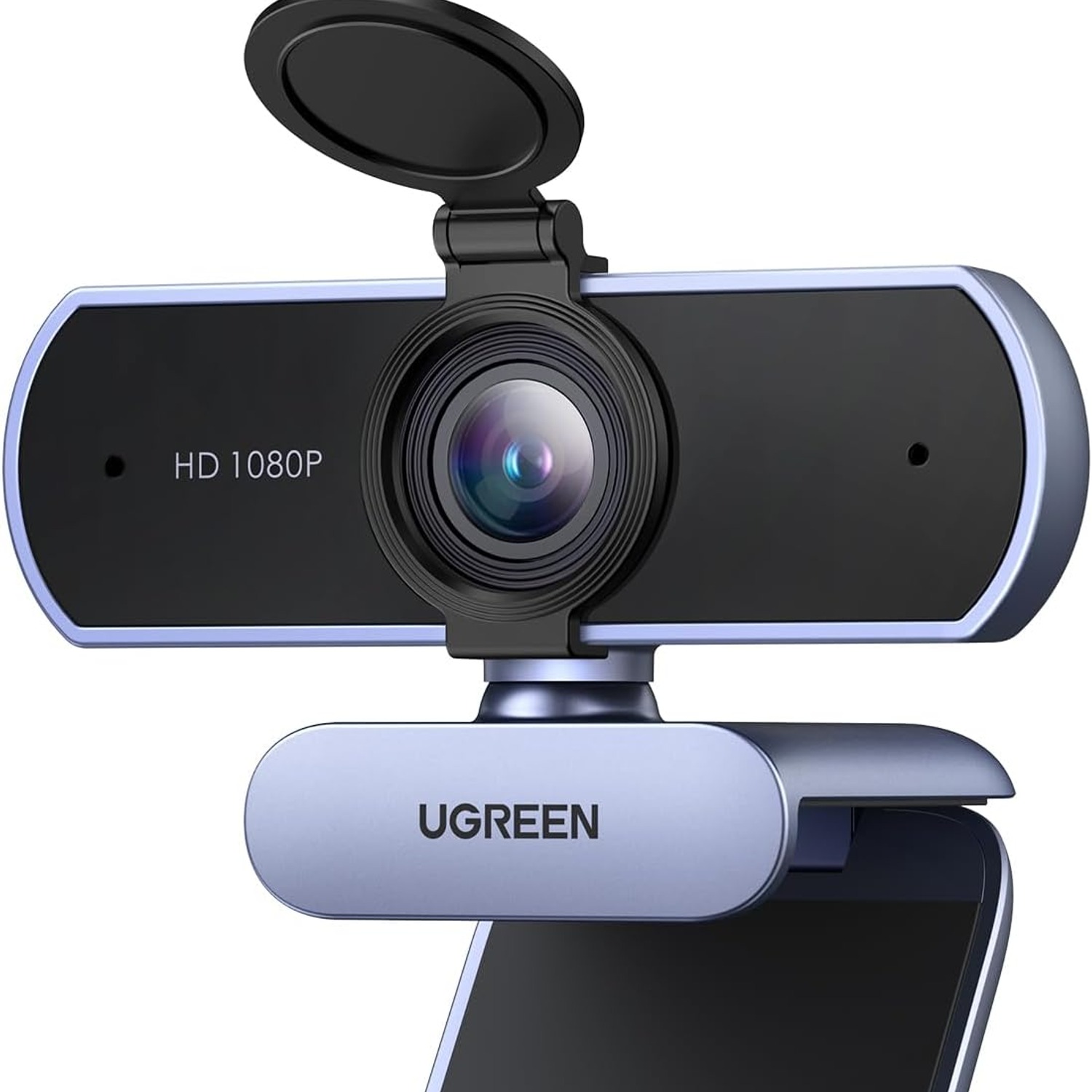
UGREEN 1080p USB Webcam with Dual Microphones

£31.99 £37.99 Save £6
  • Full HD 1080p
  • Dual Microphones
  • No Drivers Needed
  • 360 Degree Base

Price: £31.99 £37.99

  • Free tracked delivery across the UK on orders £100+, otherwise a flat £12
  • Pay by card or PayPal, handled by the payment provider
  • 14 days to change your mind, plus your statutory rights
Product specifications
Video Resolution1080p Full HD
Sensor TypeCMOS
ConnectivityUSB
Lens TypeWide angle
Viewing Angle85 degrees
Display Resolution MaximumFHD
Special FeatureAnti-shake
Image StabilisationNo
Minimum Focal Length500 mm
Maximum Focal Length600 mm
Compatible DevicesLaptop, desktop, tablet, smartphone
ColourGrey
Water ResistanceNot water resistant
Batteries IncludedNo
Item Weight100 g
Model Number15728
BrandUGREEN
Weight100 g
Shipping & returns

Tracked delivery anywhere in the UK. It is free on orders of £100 or more, and a flat £12 below that.

Under the Consumer Contracts Regulations 2013 you have 14 days from delivery to cancel for any reason, and a further 14 days to send it back in resaleable condition. We refund the price you paid, including standard delivery. You cover the cost of returning it unless the item is faulty.

If it arrives faulty, damaged or not as described, we put it right at no cost to you under the Consumer Rights Act 2015, return postage included.

Shipping details · Refunds and returns

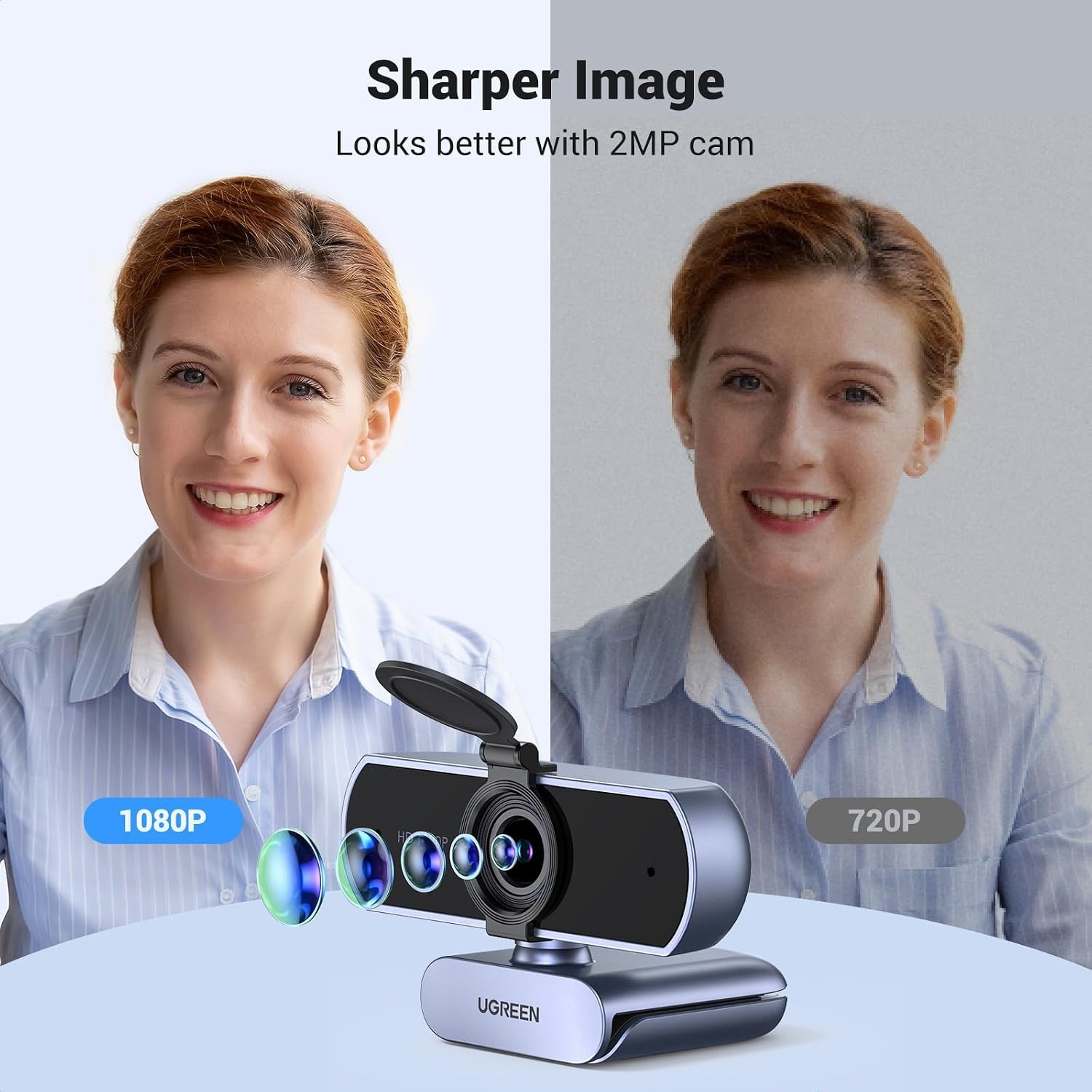
Full HD 1080pRecords and streams at 1080p 30fps for a clear, steady picture.
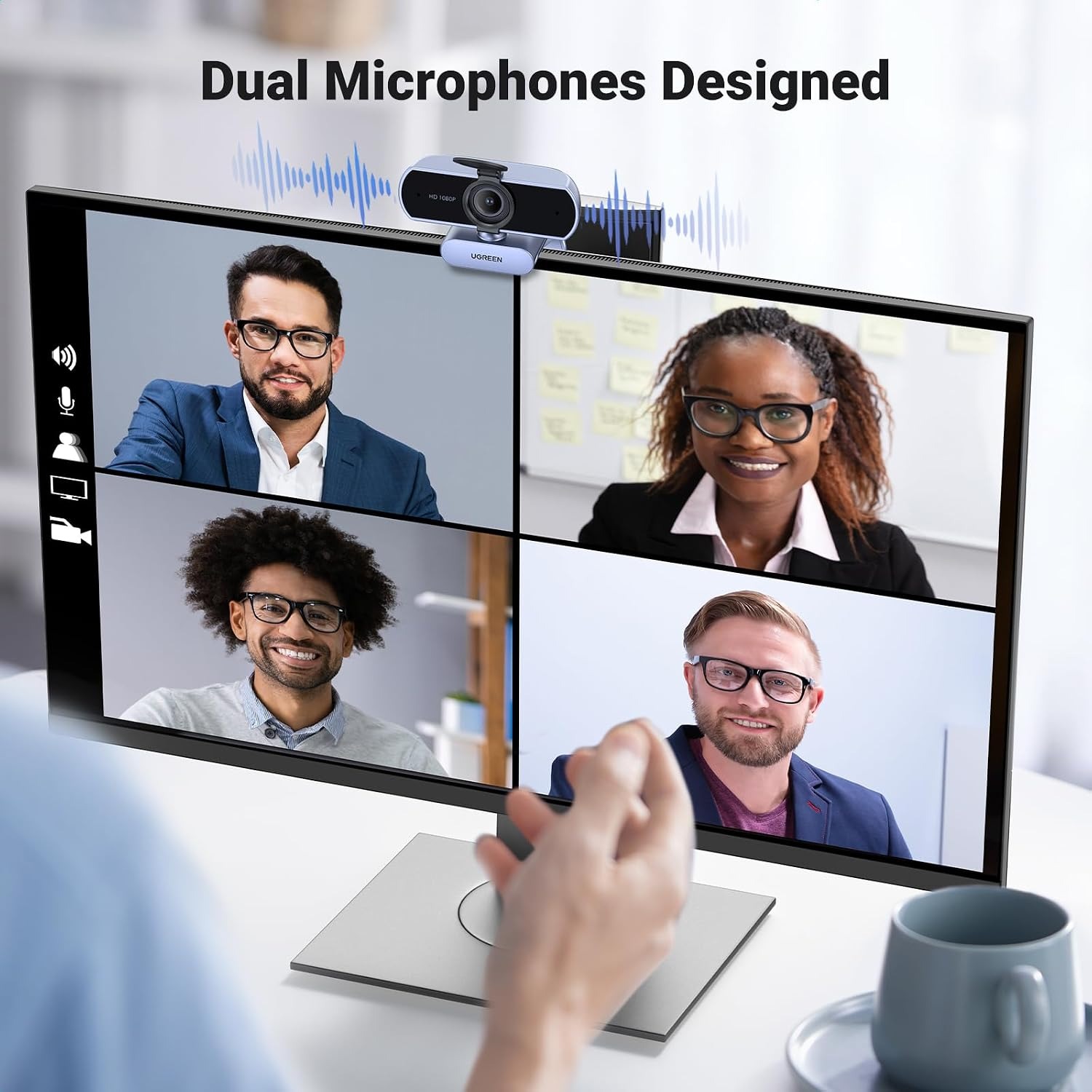
Dual MicrophonesTwo built-in mics pick up voices from up to three metres away.
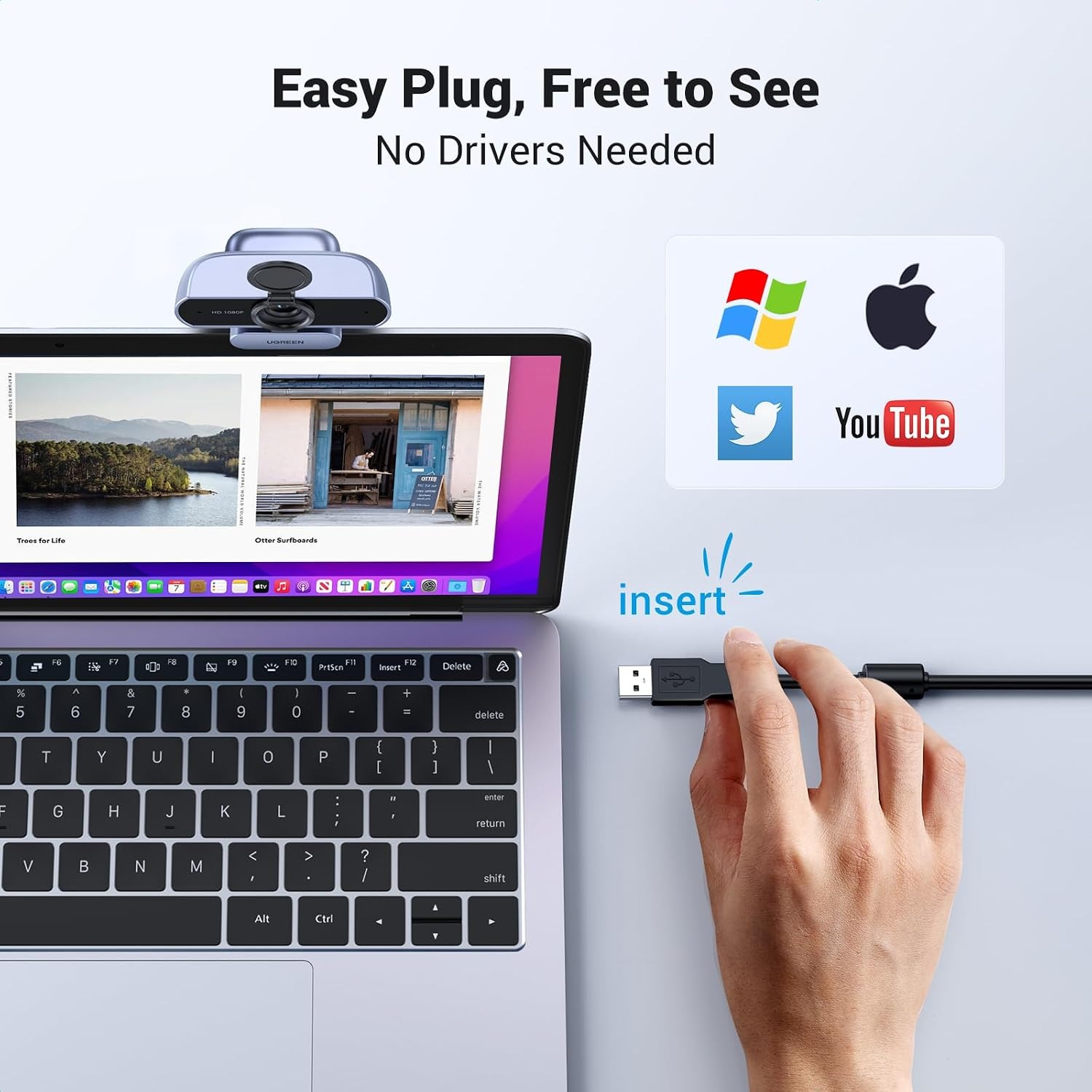
No Drivers NeededPlug the USB cable in and start your call, no software install.
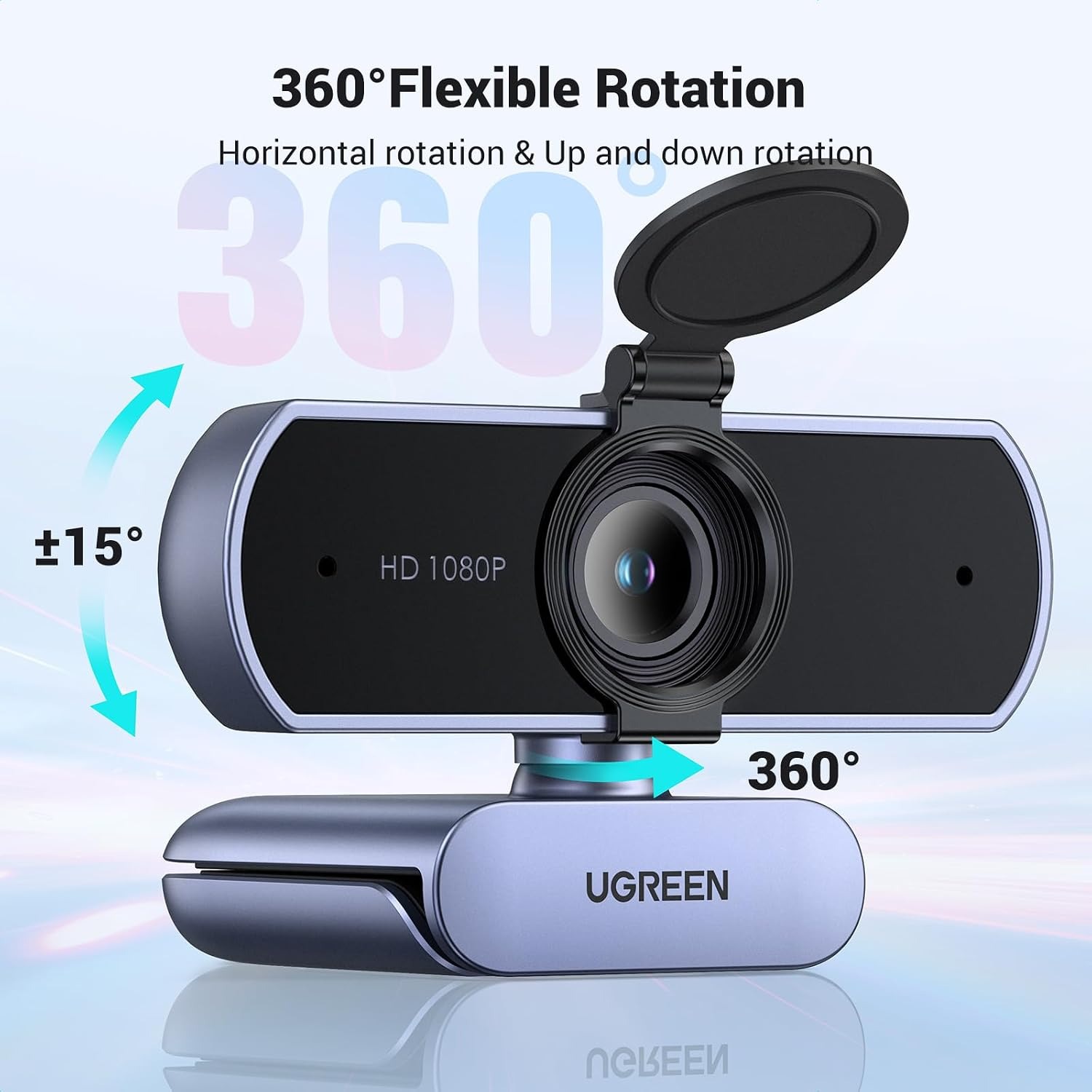
360 Degree BaseSwivel the camera all the way around and tilt it to frame the shot.

Look sharp and sound clear on every call with a 1080p USB webcam that just works the moment you plug it in.

Full HD video at 30fps, two built-in microphones that pick up sound from up to three metres, an 85 degree wide angle lens and a 360 degree swivel base, all with driver-free setup on Windows, macOS, Linux and Android.

This 1080p USB webcam records and streams at Full HD resolution so your face, your whiteboard and your slides all stay readable on the other end.

Two built-in microphones capture sound from up to three metres away, which is enough for a small group sitting around one desk.

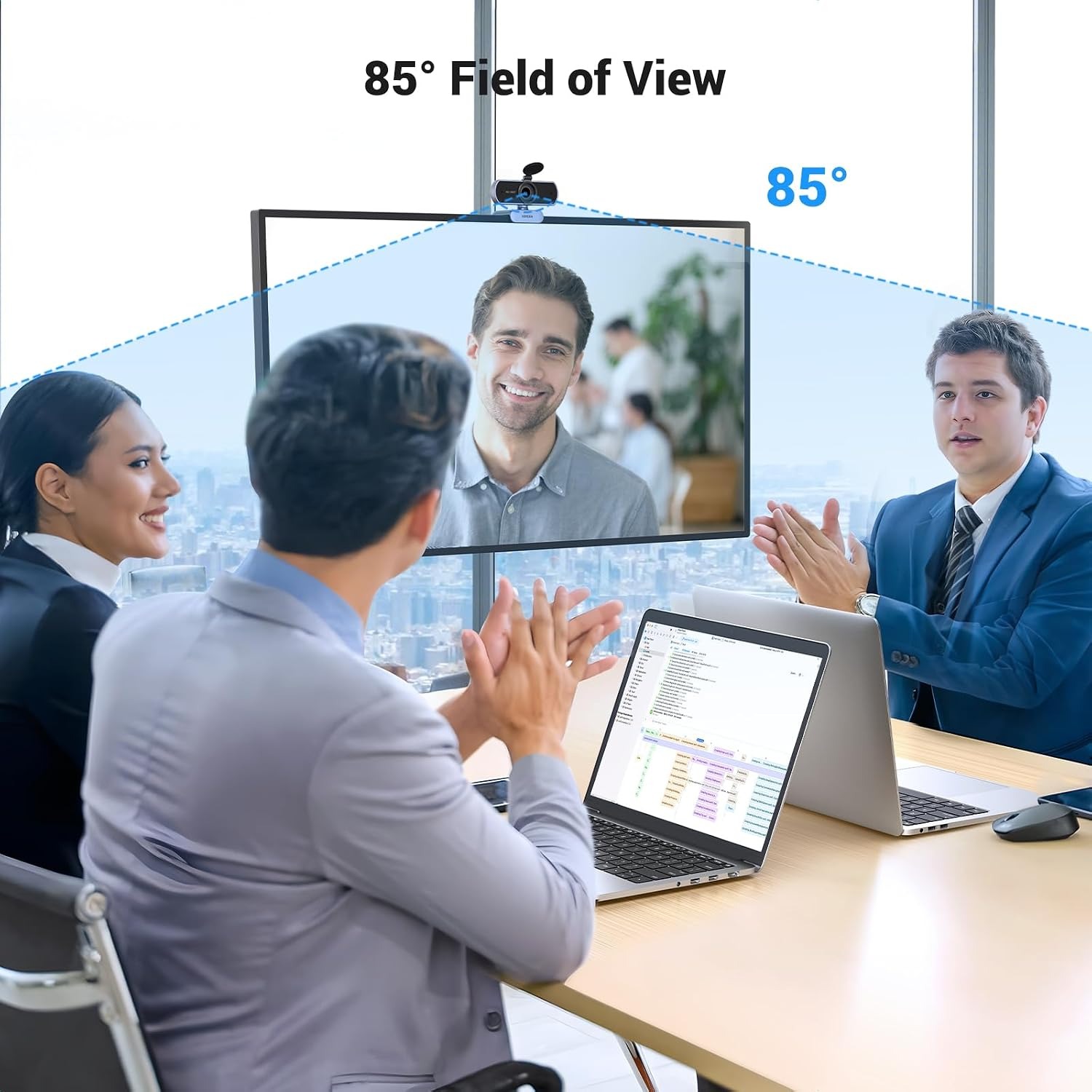
The 85 degree wide angle lens fits more of the room in frame than a typical narrow laptop camera.

A universal ball joint lets the camera turn a full 360 degrees and tilt 15 degrees up or down so you can aim it exactly where you need.

It is driver free, so it works on Windows, macOS, Linux and Android with no setup beyond plugging in the USB cable.

UGREEN 1080p USB Webcam with Dual Microphones

Most laptop cameras were an afterthought. They sit above the screen in a thin strip of plastic with a tiny sensor behind them, and in anything less than bright daylight the picture turns grainy and washed out. A dedicated 1080p USB webcam fixes that in about ten seconds. You clip it on top of the monitor, run the cable to a free USB port, and the next call you join looks noticeably better than the last one.

UGREEN 1080p USB Webcam with Dual Microphones

This UGREEN model records at 1080p and 30 frames per second, which is the resolution most meeting platforms are built around. The CMOS sensor sits behind a wide angle lens with an 85 degree field of view, so you get more of the desk and the people beside you in frame instead of a tight crop of your forehead. That wider view matters if two or three of you share one screen during a call.

UGREEN 1080p USB Webcam with Dual Microphones

Audio is handled by two built-in microphones rather than one. They are rated to pick up voices from up to three metres away, so you do not have to lean toward the camera to be heard, and a colleague sitting across the desk comes through as well. For many people this removes the need for a separate headset entirely, which is one less thing to charge and one less thing to lose.

UGREEN 1080p USB Webcam with Dual Microphones

Mounting is flexible. The base uses a universal ball joint that rotates a full 360 degrees and tilts 15 degrees up and down, so you can point it at a whiteboard, at a workbench, or straight at your chair without moving the whole monitor. It sits on a laptop lid, a desktop monitor, a TV or a tripod, and at 100 grams it does not weigh the screen forward.

UGREEN 1080p USB Webcam with Dual Microphones

Setup is driver free. Plug the USB connector into Windows 7, 8, 10 or later, macOS 10.6 or later, Linux or Android, and the camera is recognised as a standard USB video device. From there it works inside the apps you already use for meetings, lessons, streams and recordings. No install wizard, no account, no extra software sitting in your system tray.

Not sure yet? That is fine.

A camera has to suit the job you bought it for, and you cannot always judge that from a photograph. Under the Consumer Contracts Regulations 2013 you have 14 days from delivery to cancel for any reason, and a further 14 days to send it back in resaleable condition. We refund the price you paid, including standard delivery.

If it turns up faulty, damaged or not as described, that is on us. The Consumer Rights Act 2015 covers you, and we pay the return postage. Read the full detail on our refunds and returns page, or ask us anything before you order.

Frequently Asked Questions

What is this product?

It is a USB webcam that records and streams video at 1080p Full HD. It has two built-in microphones and a wide angle lens, and it connects to a computer or other device with a single USB cable.

Does it need any software or drivers?

No. It is a plug and play webcam, so the computer recognises it as a standard USB video device as soon as you connect it. There is nothing to download and no account to create.

What video resolution does it record at?

It records at 1080p, which the listing describes as Full HD at 30 frames per second. That is the resolution most video meeting platforms are built around, so it matches what they expect without extra configuration.

How wide is the field of view?

The lens has an 85 degree viewing angle. That is wider than many built-in laptop cameras, so you capture more of the desk and room, which helps when more than one person is on the call.

Does it have a microphone built in?

Yes, it has two. They are rated to pick up sound from up to three metres away, so you can sit back from the screen and still be heard clearly.

Can I use it without a headset?

For most calls, yes. The dual microphones are designed to handle normal speaking distance, so a headset becomes optional rather than essential. If you are in a noisy shared office, a headset will still give you better isolation.

Which operating systems does it work with?

It works with Windows 7, 8, 10 and later, macOS 10.6 and later, Linux and Android. The listing describes it as broadly compatible as a standard USB camera.

Will it work with Zoom, Teams, Skype and Google Meet?

Yes. Because the camera presents itself as a standard USB video device, any app that can select a camera will see it. You simply pick it from the camera list in that app's settings.

Does it work with a smartphone or tablet?

The listing includes tablets and smartphones among compatible devices. You will need the right USB adapter for your device's port, and the app you are using has to support external cameras.

How does it attach to my screen?

It has a base with a universal ball joint that sits on top of a monitor, a laptop lid or a TV. It can also go on a tripod if you prefer to position it away from the screen.

How far can I adjust the angle?

The ball joint rotates a full 360 degrees and tilts 15 degrees up and down. That gives you enough range to aim at a whiteboard, a desk surface or your chair without moving the monitor.

Is it heavy enough to tip my laptop screen?

It weighs 100 grams, which is light for a desktop camera. Most laptop lids handle that without leaning, though a very thin ultrabook screen may feel slightly front heavy.

Does it have image stabilisation?

The product details list an anti-shake special feature but also state that image stabilisation is not included. Treat it as a fixed camera, which is what you want anyway for a webcam sitting on a monitor.

Is there a privacy shutter?

A privacy cover is not listed by the maker. If privacy matters to you, unplugging the USB cable when the camera is not in use is the simplest option.

How long is the USB cable?

Cable length is not specified by the maker. If you need the camera more than a short distance from the computer, plan for a USB extension.

What colour is it?

The product details list the colour as grey, which suits most monitor bezels and desk setups without standing out.

Does it need batteries or a power adapter?

No. It draws power over the USB connection, and no batteries are included or required. One cable handles both power and video.

Is it any good in low light?

The listing describes automatic adjustment for lighting conditions. In practice, any webcam looks better with light on your face, so a window or a small desk lamp in front of you will make the biggest difference.

Can I use it for streaming?

Yes. Streaming software treats it like any other USB camera, so you can add it as a video source. The best webcam for streaming is one your software recognises instantly, and plug and play hardware fits that description.

Is it suitable for online teaching?

It suits that use well. The wide angle view fits a whiteboard or a workbench in frame, and the swivel base lets you tilt it down to show what is on the desk during a lesson.

Will it work for a small meeting room?

It works for a small group around one desk. The 85 degree lens and the three metre microphone range are aimed at that kind of setup rather than a large conference room.

Can I mount it on a tripod?

The listing states it can be placed on a tripod. Check that your tripod head matches the base before ordering if you plan to mount it that way full time.

Does it record video on its own?

No. It is a webcam, so it sends video to a connected device. Recording happens in whatever app you are using on that computer.

Does it come with a memory card?

No memory card is included or needed. The camera has no standalone recording function, so all video goes straight to the connected device.

How do I clean it?

Wipe the lens with a dry microfibre cloth and nothing else. Avoid alcohol, glass cleaner and abrasive wipes, since they can damage lens coatings over time.

Is it waterproof?

No. The product details list it as not water resistant, so keep it indoors and away from drinks, sinks and damp surfaces.

How is it packed and delivered?

It ships in protective packaging suited to a small electronics item. Delivery times vary by destination and are shown at checkout for your country.

Is it a good gift?

It makes a practical gift for anyone who works, studies or games from home. It is small, it suits almost any computer, and the recipient does not need technical skill to set it up.

How does it compare to a built-in laptop camera?

Built-in cameras are limited by how thin the screen is, which caps sensor and lens size. A separate 1080p USB webcam has more room for optics and can be aimed independently of the screen.

What if the camera is not recognised when I plug it in?

Try a different USB port, preferably one directly on the computer rather than on a hub, then select the camera in your app's video settings. Most recognition problems come from the app still pointing at the old built-in camera.

What if it is not right for me?

Get in touch with our team and we will walk you through the options, including return or exchange under our standard returns policy. Keep the original packaging where you can, since that makes a return much simpler.

How to Choose a 1080p USB Webcam That Actually Improves Your Calls

6 min read Camera Company

The problem with the camera you already have

Nearly every laptop has a camera, and nearly everybody hates how they look on it. There is a reason for that, and it is not you. A laptop lid is a few millimetres thick, which leaves almost no room for a sensor or a lens. Manufacturers squeeze in the smallest parts that will fit, point them slightly up your nose, and move on. The result is a soft, grainy picture that gets worse the moment the light in the room drops.

Desktop users often have it worse. Plenty of monitors have no camera at all, so people end up balancing a phone against a stack of books or joining meetings with their video off.

A separate 1080p USB webcam solves both problems with one cable. It has physical room for a proper lens and a bigger sensor, it sits where you want it rather than where the hinge puts it, and it costs a fraction of what a new laptop would. If you are on video calls more than a couple of times a week, it is one of the cheapest upgrades to how other people experience you at work.

What 1080p actually buys you

Resolution gets quoted a lot and understood a little. 1080p means the camera captures 1920 pixels across and 1080 down, which is the standard Full HD frame. Most meeting platforms are built around that figure. They may compress the stream down when bandwidth is tight, but they start from a good source rather than a poor one.

The practical difference shows up in detail. At 1080p, the text on a page you hold up is readable. Your expression is legible rather than approximate. If you share a desk with a colleague, both faces have enough pixels to look like faces. At lower resolutions, all of that smears.

Frame rate matters nearly as much. This camera is listed at 30 frames per second, which is the point where movement stops looking like a slideshow. A camera that captures lots of pixels but only a handful of frames a second will make you look like you are buffering. 1080p at 30fps is the sensible combination for meetings, lessons and streams.

Why the lens angle changes the room

This webcam uses a wide angle lens with an 85 degree field of view. That number describes how much of the scene fits in the frame from side to side.

Narrow lenses, around 60 degrees, give you a tight head and shoulders crop. That is fine for a solo call and it hides a messy room. Wider lenses, like this one, fit a desk, a second person and whatever is on the wall behind you. If you teach, demonstrate, or ever have a colleague lean into frame, the wider view is the one you want. It is also more forgiving when you shift in your chair, because you do not drift out of shot every time you reach for a pen.

The trade off is that a wide angle shows more of the room, so a cluttered background becomes part of the picture. Most meeting apps offer background blur if that bothers you.

Sound is half the call

People will forgive a slightly soft picture. They will not forgive audio they have to strain to hear. This is where a lot of cheap cameras cut corners with a single tiny microphone that picks up the fan noise from your laptop as clearly as it picks up your voice.

This model has two microphones rather than one, rated to capture sound from up to three metres away. Three metres is roughly the distance from a monitor to the far side of a small meeting table, so it covers normal speaking position with room to spare. You can sit back, lean away, or turn your head to a second screen and still be heard.

For a lot of people, that removes the headset from the equation. If you share a busy space, a headset still wins because it isolates your voice from everything else going on. But for a home office, a spare room or a quiet corner, built-in dual mics are enough. One of the quiet advantages of looking for the best usb webcam with microphone is simply owning fewer devices.

Mounting and aiming

The base here uses a universal ball joint. It rotates a full 360 degrees and tilts 15 degrees up and down. That sounds like a small detail until the first time you need to point a camera at something that is not your face.

Tilt down and you can show a workbench, a sketch, or a piece of equipment you are explaining. Rotate and you can turn the camera toward a whiteboard without dragging the monitor around. For online teaching, craft demos and technical support calls, that flexibility is the difference between a useful camera and a fixed one.

The clip sits on a monitor, a laptop lid or a TV, and the camera can go on a tripod instead if you want it away from the screen. At 100 grams it is light enough that a laptop lid holds it without leaning. A tripod is worth considering if you want the camera at eye level, which is almost always more flattering than looking down at a lid-mounted lens.

Plug and play, and why that matters

Driver-free operation sounds like a small convenience. It is actually one of the most important things on the spec sheet.

A plug and play webcam presents itself to the computer as a standard USB video device. Windows 7 through to current versions, macOS 10.6 and later, Linux and Android all have built-in support for that standard. There is no installer, no restart, no background utility, and nothing that breaks when the operating system updates next spring.

It also means the camera is portable in a real sense. Take it to a different desk, plug it into a borrowed machine, and it works there too. Anyone shopping for the best plug and play webcam is usually shopping for exactly that, hardware that does not require them to become a support technician.

Who this suits

Remote and hybrid workers get the most obvious benefit, especially anyone whose job involves being on camera several hours a week. Teachers and tutors benefit from the tilt range and the wide view. Streamers and content makers get a straightforward USB source that any capture software will see. Students, support staff and anyone keeping in touch with family across a distance get a clearer, better-sounding call than their laptop can manage.

It is less suited to large conference rooms, where you need a camera designed for distance and a separate room microphone. It is also not a general purpose video camera, since it has no standalone recording and no battery. It is a webcam, and it is designed to be one.

Lighting beats hardware

One honest note. No webcam at any price fixes bad light. If you sit with a bright window behind you, every camera will turn you into a silhouette.

Put the light in front of you instead. A window you face, a lamp beside the monitor, or a bright wall you can bounce light off will all improve the picture more than a spec upgrade would. This camera adjusts automatically for lighting conditions, but it can only work with what reaches the sensor. Spend two minutes moving your desk or your lamp and you will see a bigger change than any setting in your meeting app.

Looking after it

Care is simple because there is not much to go wrong. Wipe the lens with a dry microfibre cloth and skip the cleaning sprays, which can dull lens coatings. Keep it dry, since it is not water resistant. When you unplug it, pull the connector rather than the cable, because that joint is the part most likely to fail on any USB device. Coil the cable loosely rather than winding it tight.

The short version

A 1080p USB webcam is a small, cheap fix for a problem most people put up with every week. This one records Full HD at 30fps, sees 85 degrees of the room, listens with two microphones out to three metres, swivels a full circle on its base, and needs no drivers on Windows, macOS, Linux or Android. It weighs 100 grams and runs off one USB cable.

If your laptop camera keeps letting you down on calls, this is the straightforward upgrade. Plug it in, pick it in your meeting app, and get on with the conversation.

Browse the shop

Not sure if this one fits your setup?

Tell us what computer and apps you use and we will confirm whether this webcam is the right match before you order.

Ask us a question

Page summary

The UGREEN 1080p USB Webcam (model 15728) is a plug and play Full HD camera for laptops, desktops, tablets and smartphones. It uses a CMOS sensor and a wide angle lens with an 85 degree field of view, and records video at 1080p. Two built-in microphones capture sound from up to three metres. The base rotates 360 degrees and tilts 15 degrees up and down. It connects over USB with no drivers required and works with Windows, macOS, Linux and Android. The unit is grey, weighs 100 grams, is not water resistant, and has no image stabilisation despite an anti-shake feature listing. Cable length, exact body dimensions, material and country of origin are not specified by the maker.